 CasCut
CasCut
CasCut
CasCut auto-syncs all your cameras and microphones, switches angles by active speaker, and outputs a ready-to-open timeline for Adobe Premiere Pro, DaVinci Resolve, or Final Cut Pro. Fully local — no cloud, no subscriptions.
Beta: free trial period · No data sent to the cloud
3 hours editing one episode is "normal" only if you love masochism. CasCut takes the busywork away.
Clap, find the waveform, line up tracks — every single time. 4 sources = 30 minutes just for sync.
Cut and place the right shot on every line. One hour of footage = 200+ manual switches. You can lose your mind.
Cutting hesitations and long silences by hand is its own special hell. Especially when there are 60+ per episode.
Everything you need for a multicam podcast — in one offline app on your Mac or Windows.
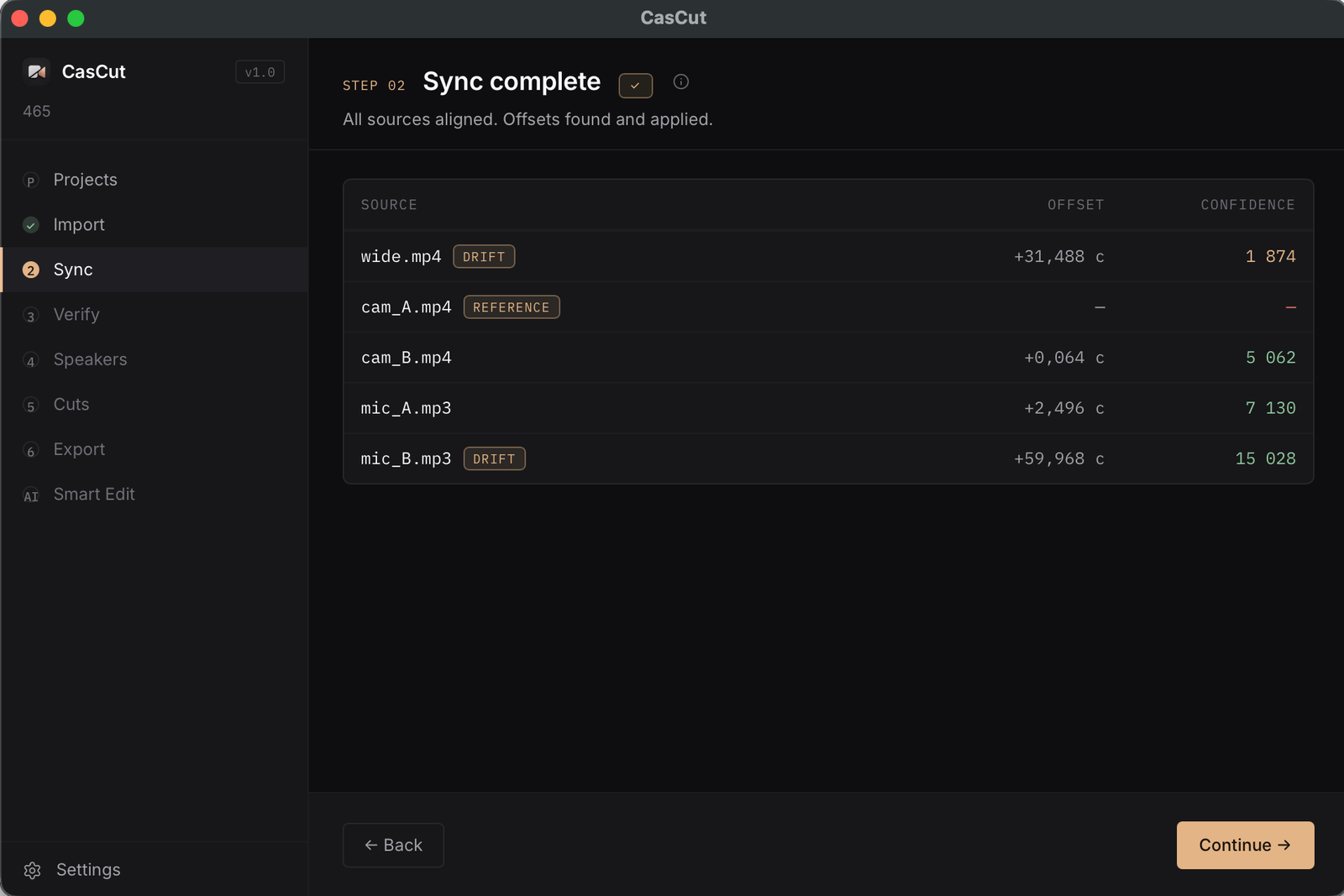
The app aligns all sources by audio automatically. Works even when a lav mic and on-camera mic sound very different. Frame-accurate (±1 frame).
CasCut listens to each microphone and figures out who's speaking. The camera switches to the active speaker; during pauses — the wide shot.
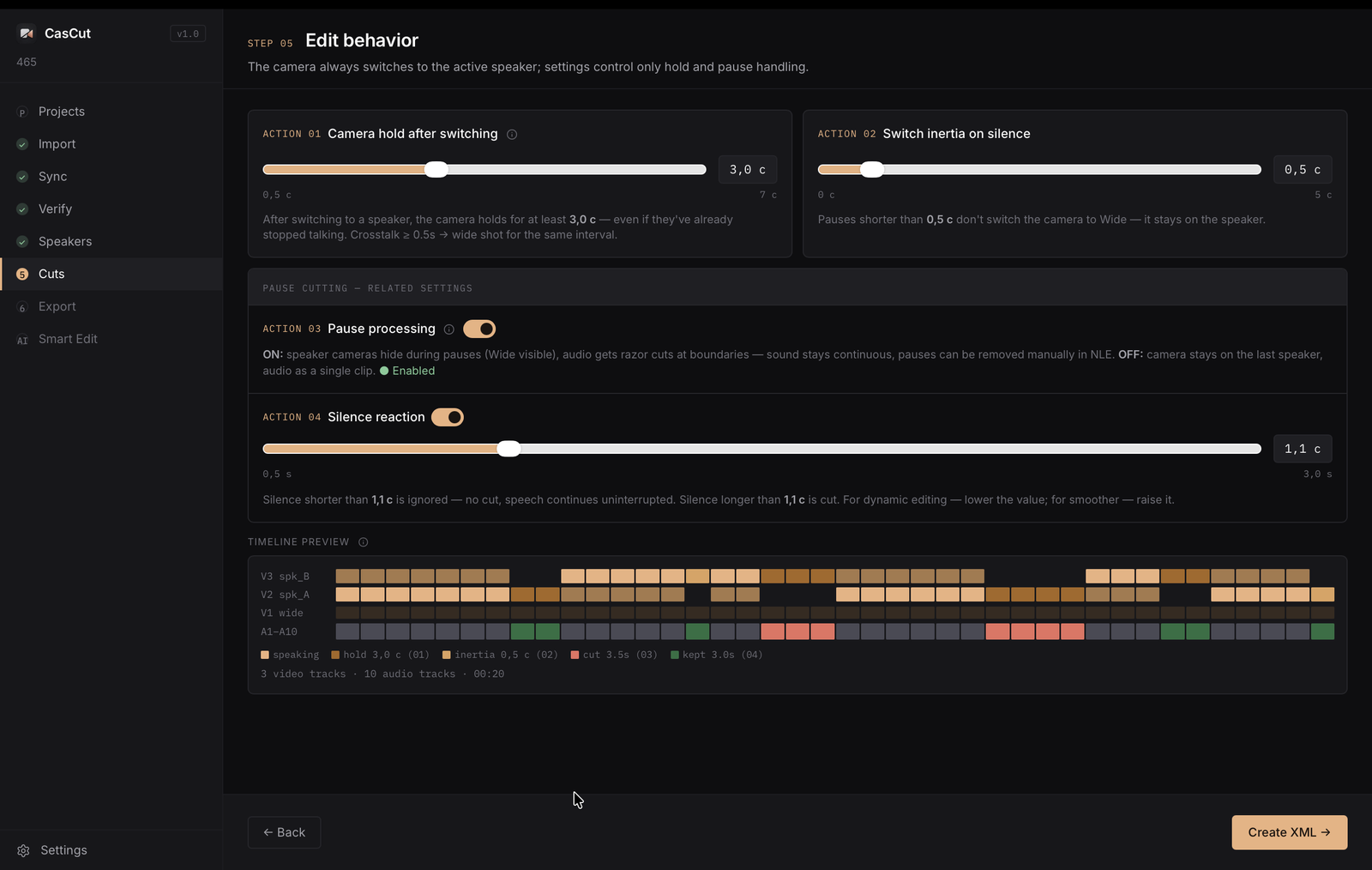
Camera hold, switching inertia, pause processing, silence reaction. From dynamic shows to meditative conversations — fits any style.
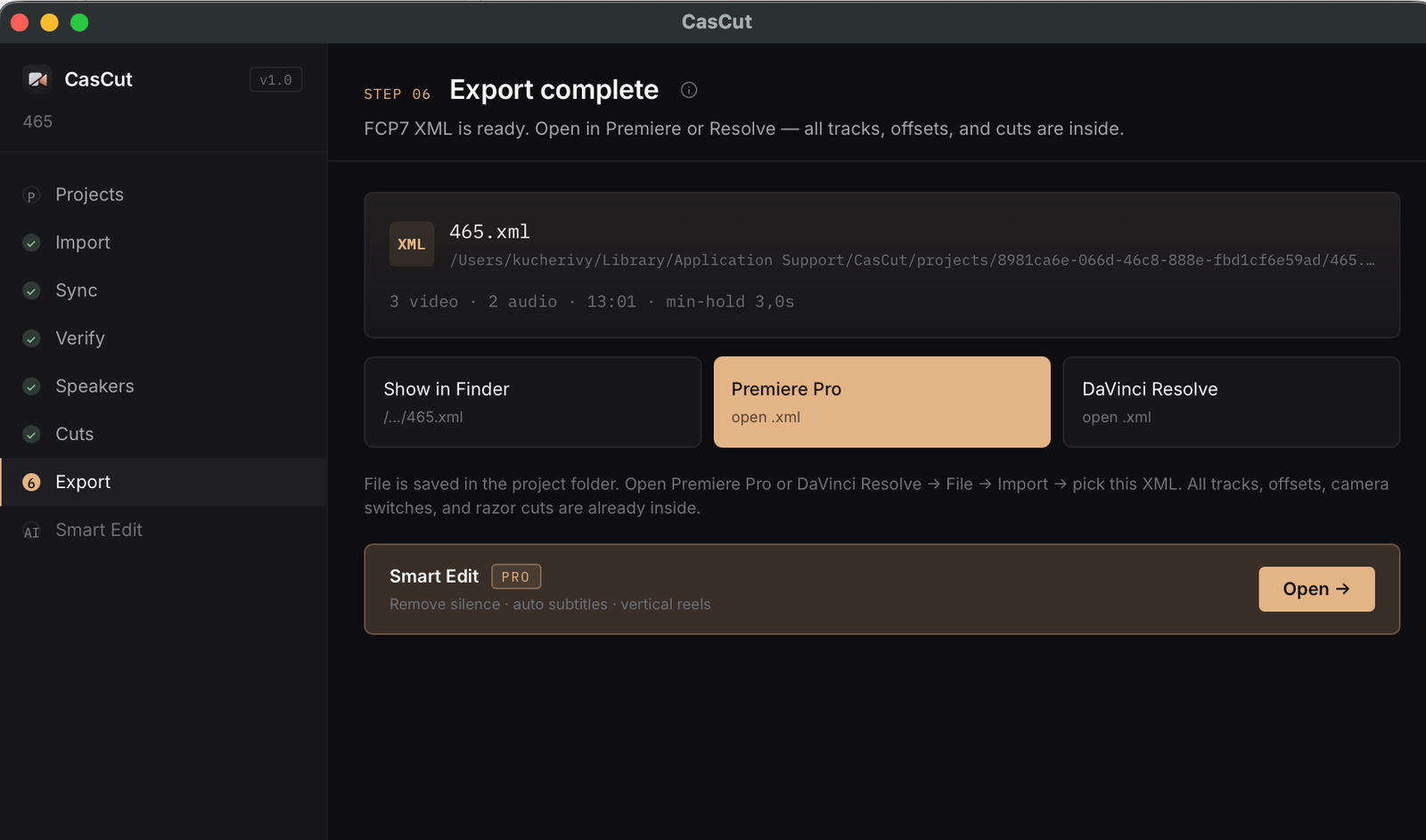
Ready-made timeline with offsets and switches for Premiere Pro, DaVinci Resolve, and Final Cut Pro. At source resolution — 4K stays 4K.
Your recordings never leave your computer. No cloud, no subscriptions, no internet. Secure device-bound activation.
Fully localized interface and documentation. Switch language in Settings without restarting.
6 steps — from a folder of recordings to a ready timeline in Premiere.
Drag in cameras, lavs, and the wide shot
~30 sec for an hour of footage
Listen to mixed source pairs
Mic ↔ camera, pick the wide shot
4 controls + live preview
Open in Premiere / Resolve / Final Cut
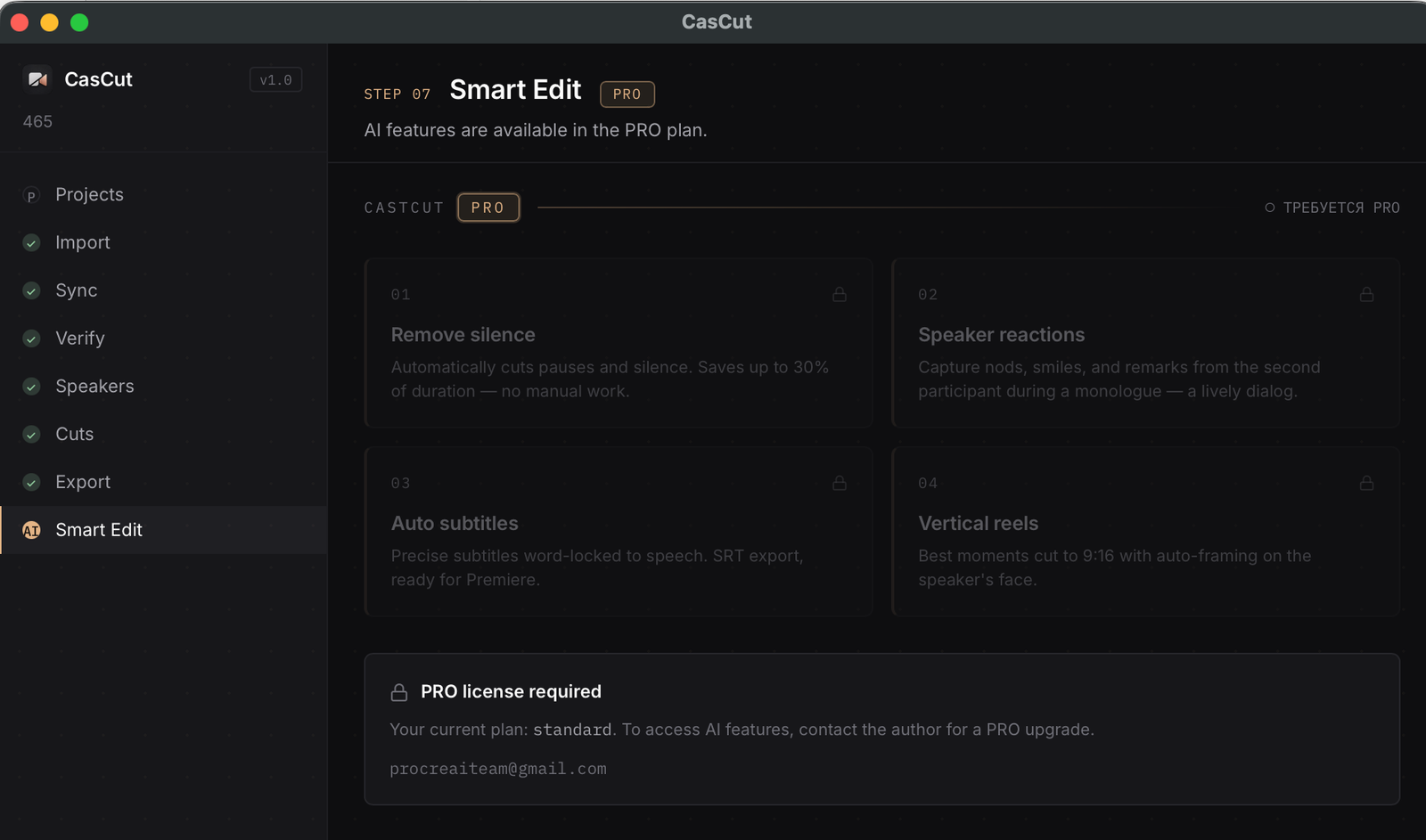
Plug in your Anthropic API key and turn on smart features right inside the app. You control the spend — we deliver the functionality.
Personal annual license, bound to one device. Launch promo: 50% off.
Need a team license (3+ seats)? Email — procreaiteam@gmail.com
Everything for current users — updates, documentation, support — in one place.
A major sync update: footage from different cameras and recorders lines up into one stream more reliably, and checking the result is now faster.
If your question isn't here — message the Telegram bot, we reply fast.
macOS 11+ (Apple Silicon — M1/M2/M3) and Windows 10/11. The exports open in Adobe Premiere Pro 24+, DaVinci Resolve 17+, and Final Cut Pro 10.6+.
Only once for license activation. After that CasCut works fully offline. Your recordings never leave your computer.
Video: MP4, MOV, MXF, MKV, M4V. Audio: WAV, MP3, AAC, FLAC, M4A, AIFF, OGG. Most cameras and lavalier mics are imported without conversion.
Up to 10 sources. Works best with 3–6 — a typical podcast: 2 speaker cameras + a wide shot + 2 lav mics. Recordings longer than 4 hours may take more time to sync.
Yes, the key is issued for a specific computer. On first launch you'll see your device ID — send it together with your email to the Telegram bot, and you'll get the key. This protects your license from being used by others.
We're in closed beta — message the Telegram bot for a 30-day trial key. After release there'll be a 14-day free trial.
All Standard updates within the year — free. New features, fixes, interface improvements. PRO features (AI) update together with Standard.
In the PRO version, smart features turn on — pause removal, auto subtitles, reels, speaker reactions. You connect your Anthropic API key: AI usage is billed directly by the provider, no middleman. Want to save? Turn the feature off when you don't need it.
CasCut runs fully locally. Audio and video stay on your computer. Activation is just a signature check, no data sent. The optional AI features go directly through your API key — we're not a middleman.
Message the Telegram bot to get an activation key.